
About
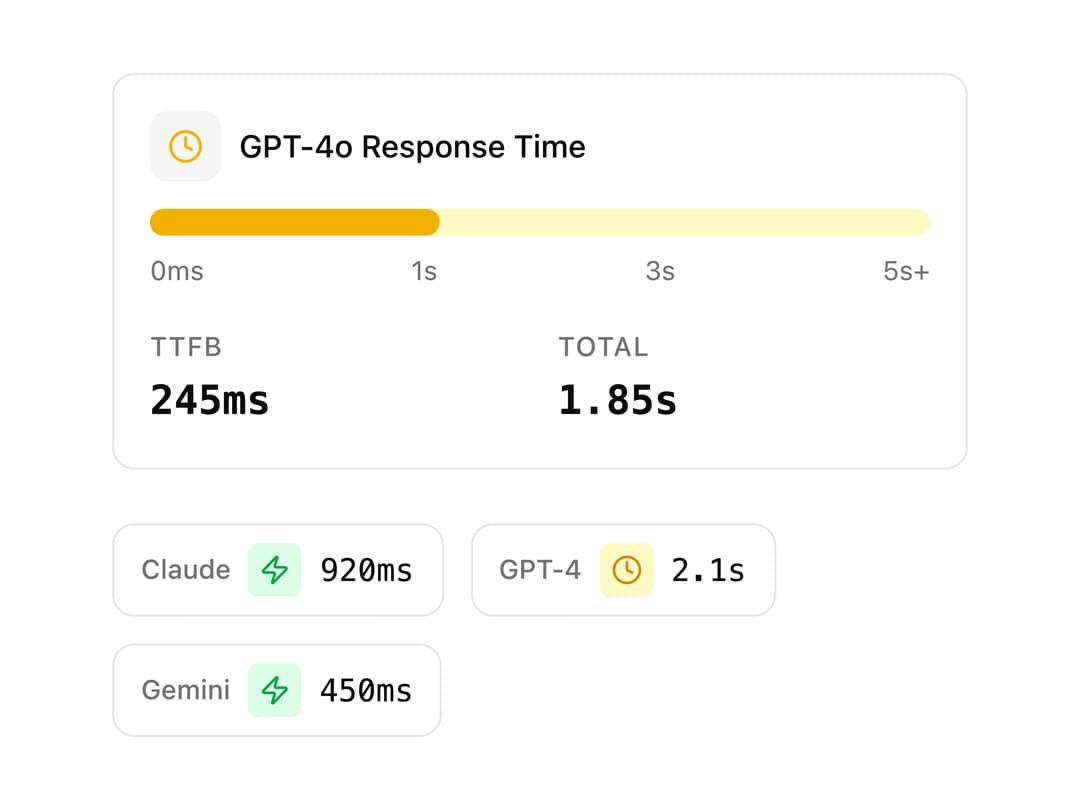
Response time visualization for AI requests showing TTFB and total duration with color-coded performance indicators, an animated progress bar, and compact or expanded variants.
Built with React and Tailwind. Copy the prompt and paste it into Claude Code, Cursor or Lovable: your agent adds AI Latency Meter to your project and fits it to your theme.
Code
How AI Latency Meter is used: the demo's code. The component's own source comes with a free account.
Usage.tsx
import {
  AiLatencyMeter,
  AiLatencyMeterHeader,
  AiLatencyMeterBar,
  AiLatencyMeterStats,
  AiLatencyMeterCompact,
} from "@/components/ui/latency-meter";

export default function Default() {
  return (
    <div className="flex min-h-screen w-full items-center justify-center bg-background p-6 text-foreground">
      <div className="flex w-full max-w-sm flex-col gap-6">
        <AiLatencyMeter ttfb={245} totalDuration={1850}>
          <AiLatencyMeterHeader title="GPT-4o Response Time" />
          <AiLatencyMeterBar />
          <AiLatencyMeterStats />
        </AiLatencyMeter>

        <div className="flex flex-wrap items-center gap-3">
          <AiLatencyMeter variant="compact" totalDuration={920}>
            <AiLatencyMeterCompact />
          </AiLatencyMeter>
          <AiLatencyMeter variant="compact" totalDuration={2100}>
            <AiLatencyMeterCompact />
          </AiLatencyMeter>
          <AiLatencyMeter variant="compact" totalDuration={450}>
            <AiLatencyMeterCompact />
          </AiLatencyMeter>
        </div>
      </div>
    </div>
  );
}